How I Render.
- 60FPS.
- AVI JPEG
- 1920 x 1080 (100% Scale)
Key-framing.
(Select all bones in pose mode for each key-frame)
-Location
-Rotation
-Scaling
WALKING

Here, you can see how I evenly spread out each key-frame to make a fluent marching animation as I was able to simply copy and paste each key-frame that I had previously used. To get the different positions, I chose different bones around the body and rotated them in specific ways.

Here is a screenshot of the key-frames I used on the camera. I didn't use many because they were not really needed and the animation of the camera was fairly nice and smooth.

RUNNING
This video shows the project for my running cycle, including settings and the key-frames that I have used. As you can see, I had lots of inspiration from the Naruto run cycle as I think it looks very appealing and effective.

JUMPING

Here is a screenshot for the Jumping animation I have created. I wanted my model to have more of realistic effect whilst jumping and falling so I tried to move the arms and legs in the correct motion.
LUNGING

This is the image that inspired the pose of my Lunging animation. I struggled for a while to get a pose I was happy with but I think that the outcome of the pose was good for a first time.

Here you can see the key-frame of the actual lunging pose. I wanted to show the model lunging both slow and fast so I added the pose twice within the final animation.
SPINNING
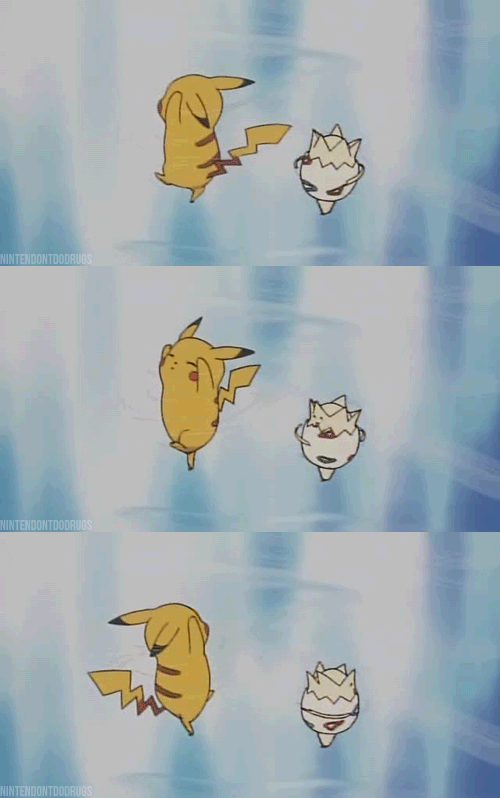
This is a GIF of the Pokemon Pikachu and Togepi happily spinning around. I would like to use this as a reference to mine because it looks quite appealing and I believe that the outcome of my animation could be quite effective.

I found it hard to get the right type of spinning pose because the model glitched out a large majority of the time so I was forced to keep the animation more simple but I think it looks quite good and I used the GIF for inspiration since I didn't really know any other way to get around it.

No comments:
Post a Comment